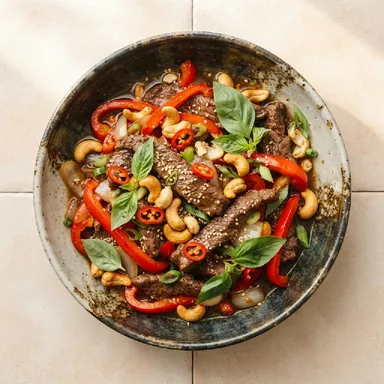
Half an hour of searching
You scroll through recipes online and they all look alike. Time passes and there's still no decision.
Dinner, decided.
Snack Me Up is a personal chef in your phone. It knows your taste and takes the daily “what's for dinner?” off your mind. You get a recipe made just for you.
It keeps your allergies and diet in mind, knows what equipment you have and which ingredients to leave out. For 28 days, every suggestion is something new, and it picks ingredients you'll easily find at an ordinary supermarket.


Free within a monthly recipe limit. What's in Premium
You open the fridge, then your phone, and yesterday starts all over again.
You scroll through recipes online and they all look alike. Time passes and there's still no decision.
Something finally looks good, but the recipe needs a product your local shop is unlikely to stock.
It ends the usual way: pasta with cheese, or a takeaway.
Coming up with something every day is more tiring than the cooking itself. That's the part I take off your hands.
How it works
I ask about allergies, equipment and taste once, at the start. After that, every dinner goes like this:
Step 1 · you say what you want
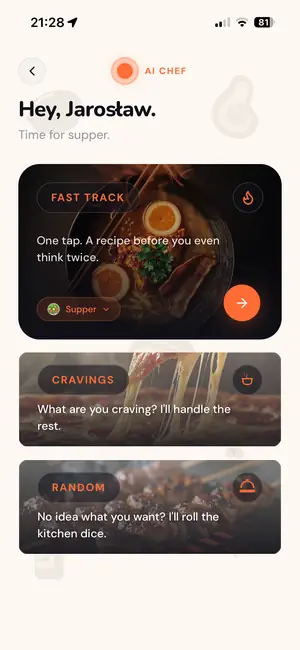
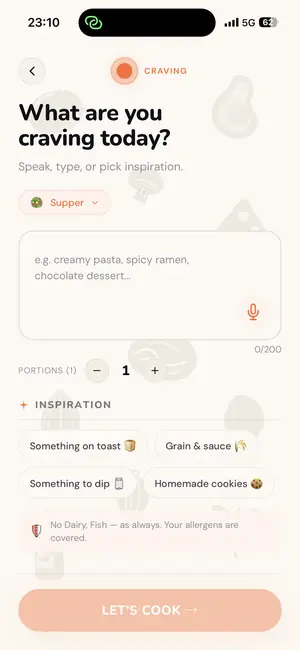
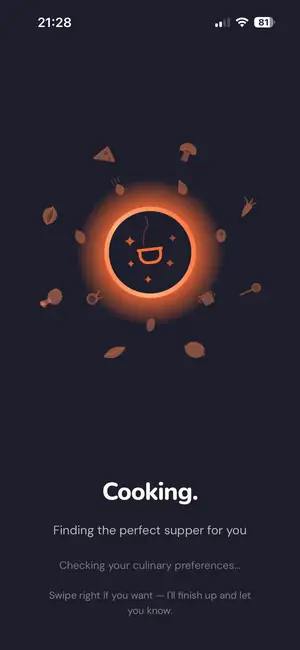
In AI Chef you choose how to start. Fast Track creates a recipe in one tap. When you're craving something, you type it or say it and, if you like, adjust your preferences on the spot. Then I need a moment at the stove.
Step 2 · a few seconds later
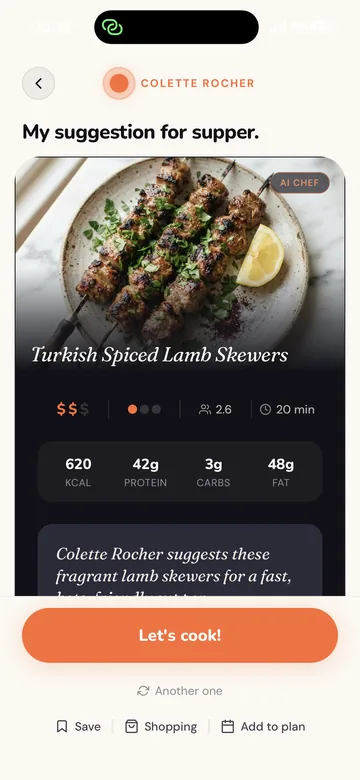
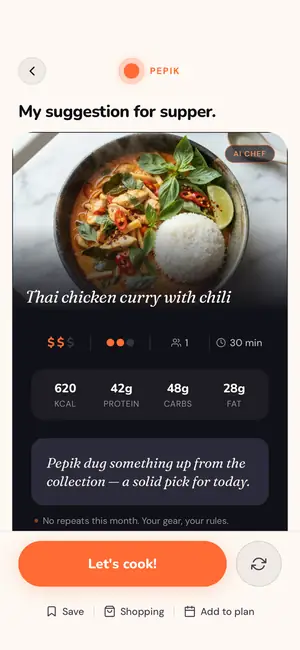
You see the dish with its time, cost, difficulty, calories and macros. Like it? Let's cook. Fancy something else? One tap and I suggest another, or tweak the one in front of you. You can also make the shopping list straight away or plan the cooking for later: pick dinner at work in the morning, and the list is ready for the shop on your way home.
Step 3 · at the shop
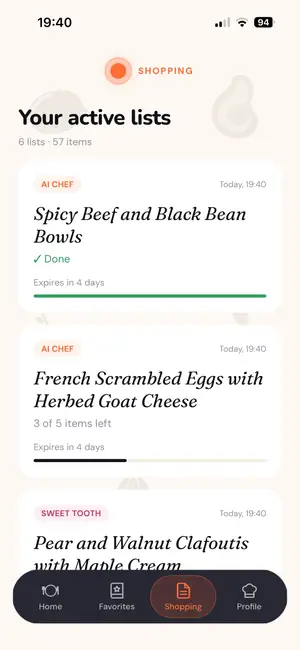
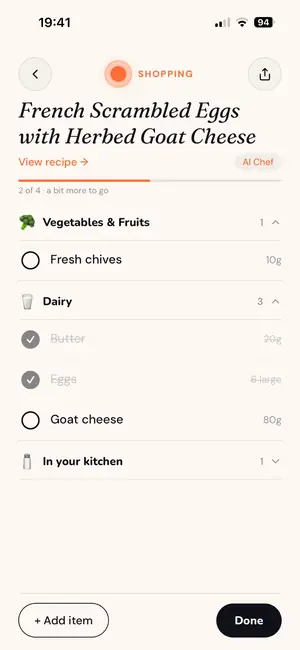
The shopping list writes itself, grouped the way a shop is laid out. Tick off what you already have at home and buy the rest. I choose ingredients for the country you live in. Craving pad thai in a small town in the middle of Europe? The ticket to Bangkok can stay in the drawer, because I build the recipe from what an ordinary supermarket stocks.
Step 4 · in the kitchen
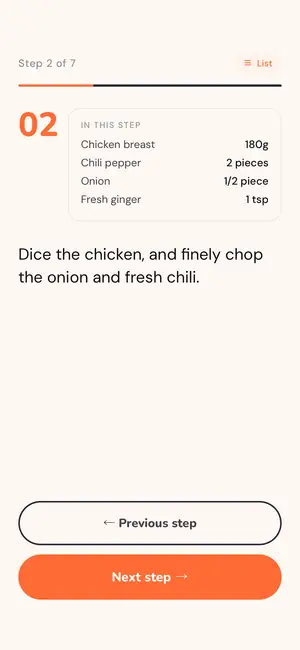
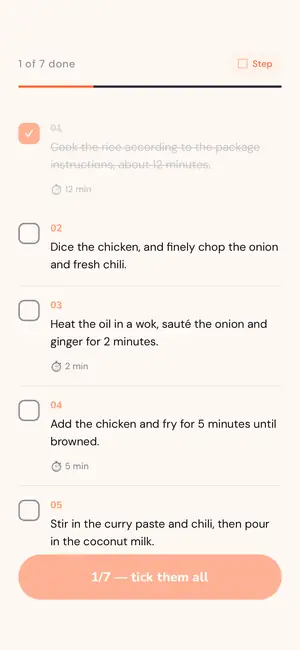
Have each step on the full screen in large type you can read from the other end of the counter, or all the steps in one list to tick off. Every step shows the ingredients you need right then, with quantities. Where timing matters, a timer is waiting.
Step 5 · after the meal
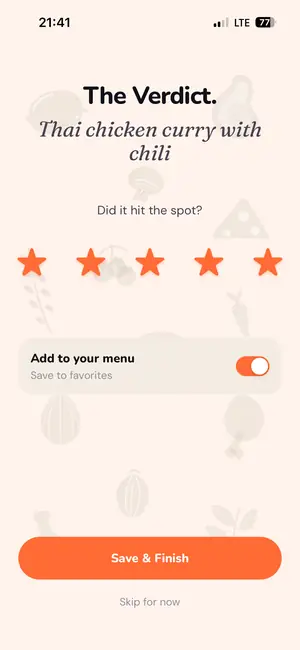
After cooking you give the dish one to five stars. One switch sends the best ones to your favourites. I take your rating into account in future suggestions, so with every dinner I know your taste a little better.

Kitchen stewards
AI Chef
For when you have no idea and no energy to look for one. One tap and you get a dish matched to your profile.
Cravings
For when you know what you feel like. Type it or say it, and I turn it into a recipe.
Random
For when you'd rather be surprised. I pick a cuisine, budget and difficulty different from your profile. Your allergies and shopping region stay as they are.
Kitchen Hero
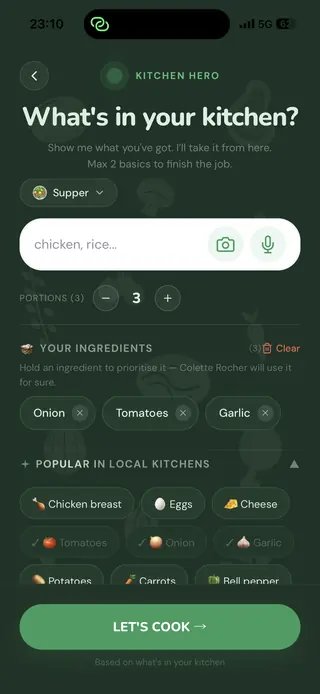
For when the fridge is full and ideas are not. Type, say or photograph what you have and I'll build a recipe from it. If something's missing, I'll add two small things to buy at most.
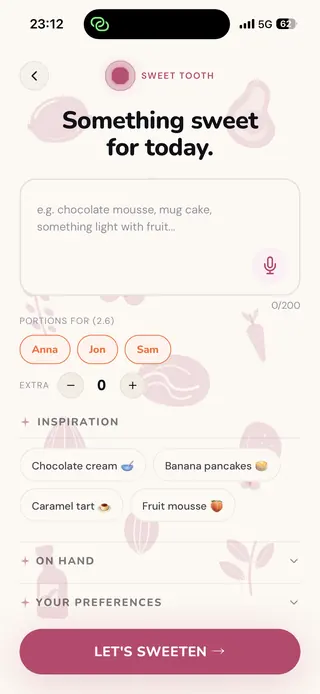
Sweet Tooth
For when you fancy something sweet after dinner. A chocolate mousse, a mug cake or something lighter with fruit, also from what you already have at home.
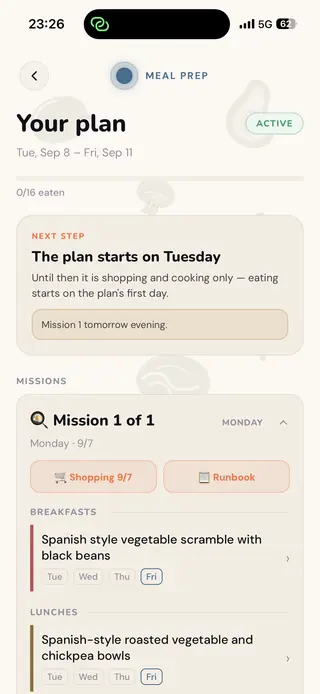
Meal Prep Premium
For when you'd rather cook once and eat for several days. I put together a meal plan for everyone at home, with a separate shopping list for each cooking day and a schedule of what to cook when. See how it works
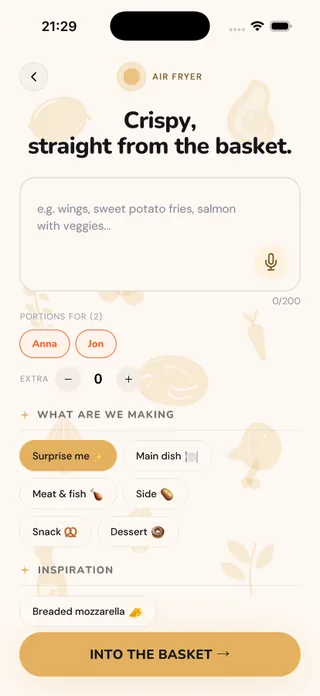
Air Fryer
For when the air fryer sits on the counter and you want more out of it than fries. Pick what we're making: a main, a side, a snack or dessert. I'll give you the temperature and basket time, and split the food into as many batches as your basket holds. Two baskets? I'll time them so both finish in the same minute. And tell me about a dish you usually bake in the oven, and I'll convert it for the air fryer.
AI Chef, Kitchen Hero, Sweet Tooth and Air Fryer are free within a monthly recipe limit. Meal Prep is part of Premium. Details below
Meal Prep Premium
Tell me who you're cooking for and on which days. I build the plan, work out the portions, split the shopping and cooking into stages, and walk you through each one.
Configurator
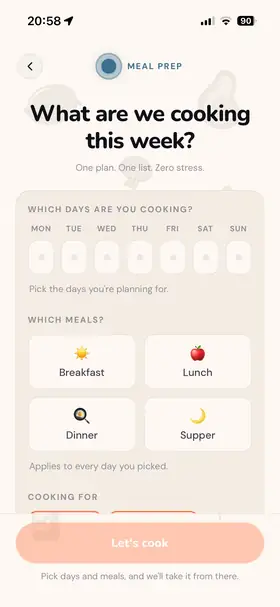
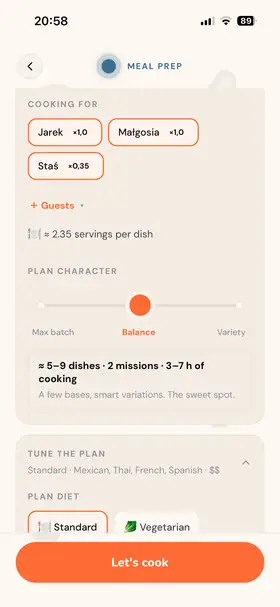
Pick the days and the meals, from breakfast to supper. Tick the household members from your profile you're cooking for and add guests. Everyone has their own portion size. A slider sets the character of the plan, from one big batch to lots of variety. You see straight away how many dishes, missions and hours of cooking that means.
Draft
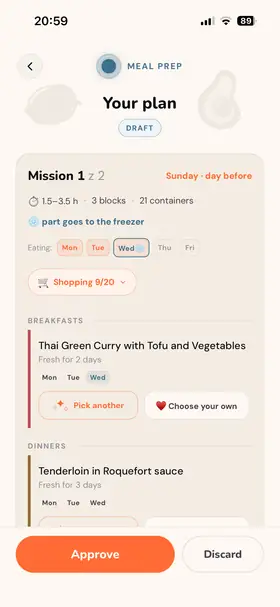
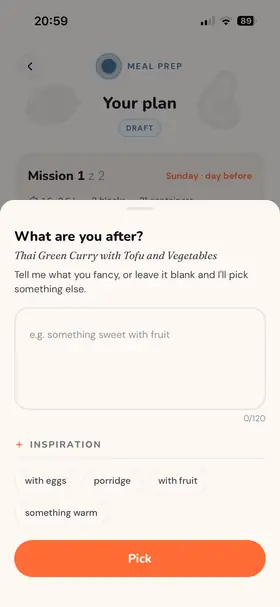
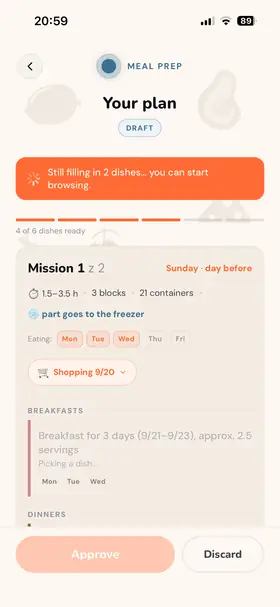
The plan appears as a draft you can browse even before I've picked the last dishes. Any dish can be swapped with one tap: I pick another one based on your hint, or you choose one from your favourites. Each dish shows how many days it stays fresh and what goes to the freezer. You approve only when everything suits you.
Portions and variations
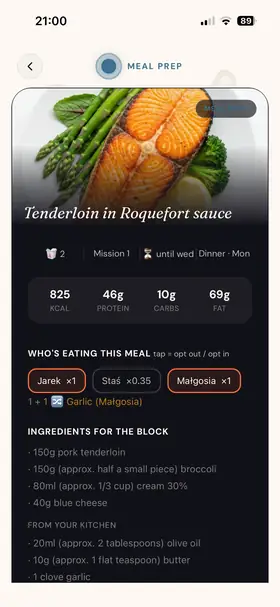
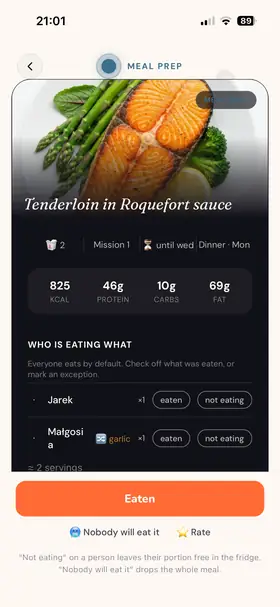
Every meal shows who is eating it and in what portion, along with calories and macros. One tap opts a person out or back in. If someone at home doesn't eat one of the ingredients, garlic for example, they get their own variation of the same dish: one portion with garlic, one without. The cook plan accounts for it while you cook.
Missions and shopping
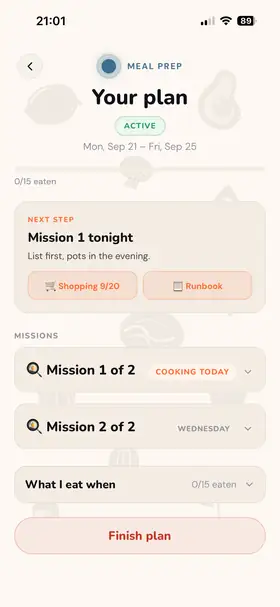
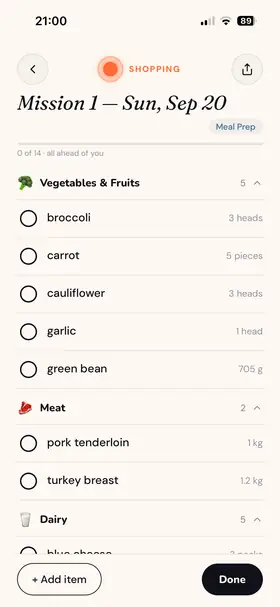
The plan spreads itself across the days you picked. I work out when to cook so every dish is as fresh as possible, and when to do the shopping. Each mission is one day in the kitchen: you know up front how long it takes and how many containers you'll need, and each one comes with its own shopping list, grouped the way a shop is laid out.
Cook plan
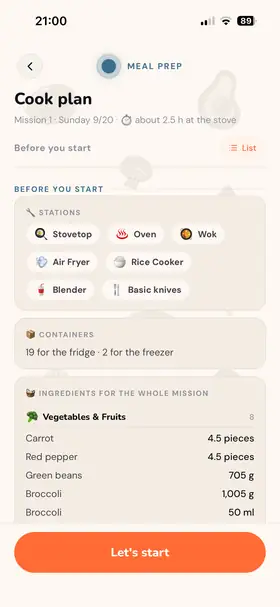
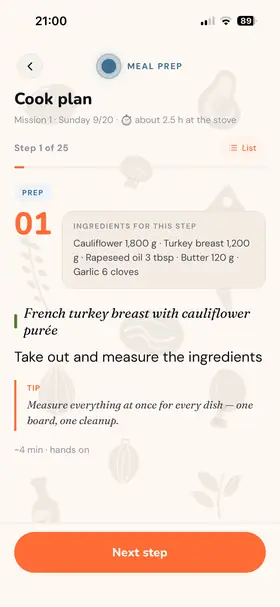
The cook plan starts with the setup: which stations and equipment you'll need, how many containers, and the ingredients for the whole mission. Then it goes step by step, with quantities for each step, tips and timing. The steps for all the dishes are arranged together, so you measure and chop once rather than dish by dish.
Eating and the summary
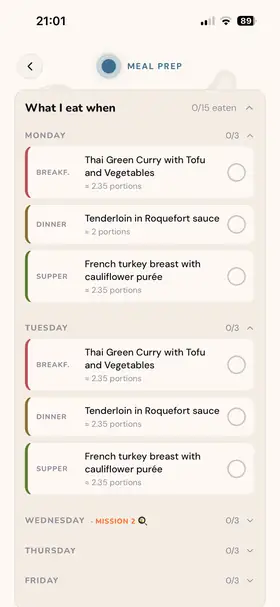
In the “What I eat when” view every day has its meals to tick off. For each meal you mark who ate and who's skipping this time, and their portion waits in the fridge. When the week is closed you get a summary: how many planned meals made it to the plate, the calories and macros each person ate, and how you rated the dishes.
Inside
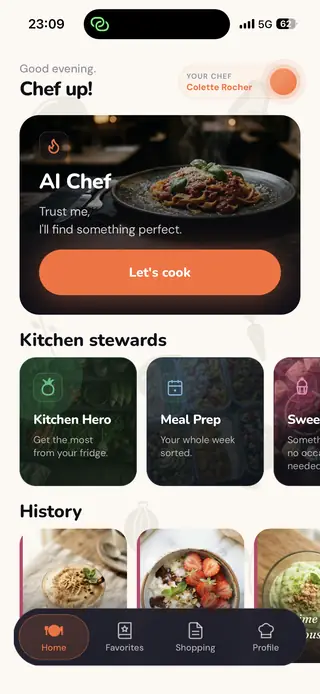
Your chef and every mode in one place.
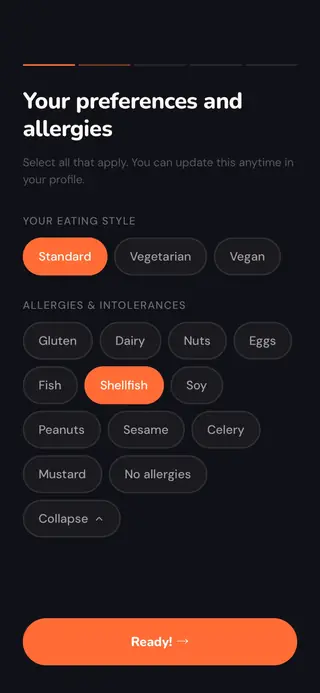
Diet, allergies and intolerances. Set once, change any time.
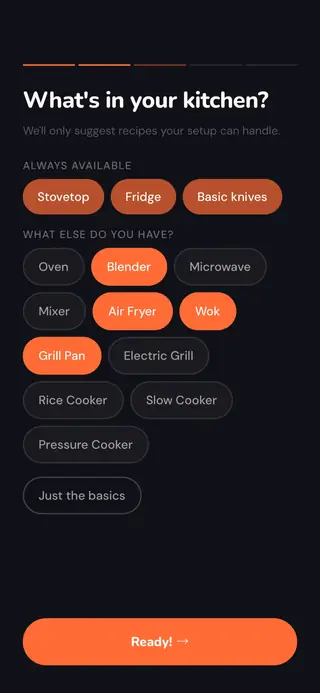
I only suggest recipes your kitchen can handle.
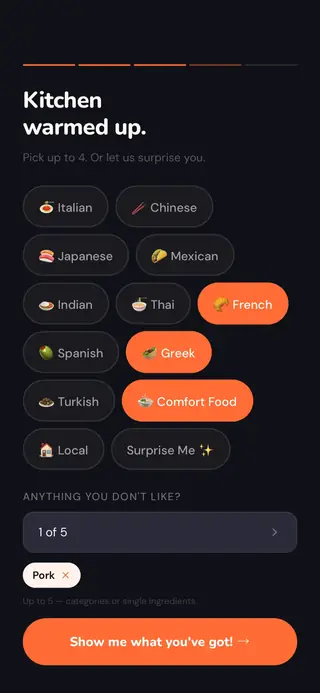
Pick the cuisines you feel like and the ones you'd rather skip.
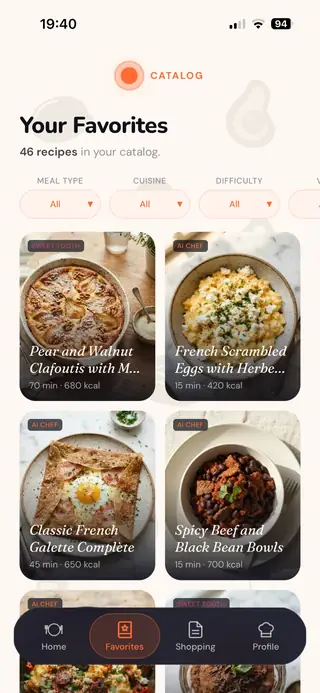
Your recipes in one place, with filters for meal type, cuisine, difficulty and mode.
Full catalogue in Premium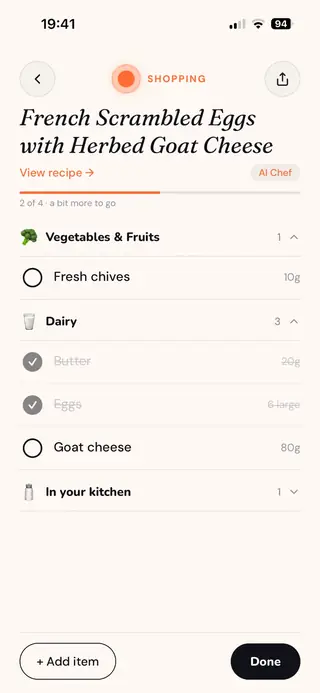
Recipe ingredients grouped the way a shop is laid out. Tick them off as you go.
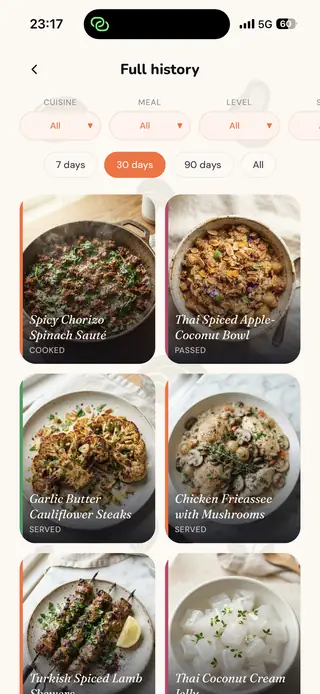
Everything that's come out of your kitchen, always at hand.
PremiumThe allergies and diet in your profile apply to every recipe I put together for you. I can't see what's inside a specific product from the shop, so read labels as you always do.
I know which region you shop in. The dish can come from any cuisine in the world, and I pick ingredients you can easily buy locally.
I know what's been cooked lately, so for 28 days every suggestion is something new. The full cooking history is there to browse in Premium.

Free and Premium
New subscribers may get a free trial. You see the price in your currency in the app and in the store before you confirm anything. You cancel in your store's subscription settings.
Exact limits, fair-use rules and trial terms: Terms, sections 4 and 5.
The screens on this page come from a Premium account, hence the dish photos.
Questions
Yes. The free plan has a monthly recipe limit, and the app's home screen shows the current limit. Premium removes the monthly limit and adds Meal Prep, dish photos, the full catalogue and cooking history.
The allergies and diet in your profile apply to every recipe I put together for you. I can't see what's inside a specific product from the shop, so always read the labels yourself.
At the start you tell me the region where you shop. Dishes can come from any cuisine in the world, but I pick ingredients you can get where you live.
Any time, in your App Store or Google Play subscription settings. You keep Premium until the end of the period you've paid for. Details: Terms, sections 4 and 5.
The app works in English and Polish.
It doesn't need to. I give you the temperature, the time and the number of batches, and you set them on your own machine, so the app works with any air fryer. Just pick your basket size.
From the author
After a full day of making decisions at work, “what are we eating tonight?” was the one decision too many. Recipe apps didn't help. They gave me a thousand recipes to choose from, which is just more deciding.
I wanted something that works like a chef who is also a friend: knows my taste and simply tells me what to make tonight. Every recipe is personalised to my taste and my preferences, because we all like to eat a little differently and to tweak things our own way. When I feel like a different cuisine, a new flavour or something more challenging, I change my preferences in the profile and my personal chef takes it into account straight away. And because it also knows what we've cooked lately, it makes sure there's always something new on the plate.
My day job is data, and I build Snack Me Up in the evenings, for more than six months now. I still have plenty of ideas for new features and improvements, so the app will keep growing. If you try it, share your opinion: tell me what you like and what you'd add or improve.
Jarek Przezdziecki
There's always an answer to “what's for dinner?”
Matched to your taste, diet and equipment.
A different cuisine or a harder dish? Change your preferences in the profile.
Your chef knows what's been cooked lately.